Bokeh:Python开发Web交互式可视化
在数据可视化的领域中,Python一直是强大的工具。而Bokeh作为Python的一个库,为开发Web交互式可视化提供了独特的解决方案。
Bokeh的优势在于它能够创建美观且交互式的可视化图表。它基于HTML5 Canvas和JavaScript,能在现代浏览器中高效运行。无论是简单的折线图、柱状图,还是复杂的地图、散点图矩阵等,Bokeh都能轻松应对。
from bokeh.plotting import figure, show, output_file

# 输出到HTML文件
output_file("lines.html")

# 创建一个新的绘图对象
p = figure(title='简单折线图', x_axis_label='x', y_axis_label='y')

# 添加折线
p.line([1, 2, 3, 4, 5], [6, 7, 2, 4, 5], line_width=2)

# 显示结果
show(p)这段简单的代码展示了如何使用Bokeh创建一个基本的折线图。首先通过output_file指定输出的HTML文件名,然后利用figure创建绘图区域,最后使用line方法添加折线数据,并通过show显示图表。
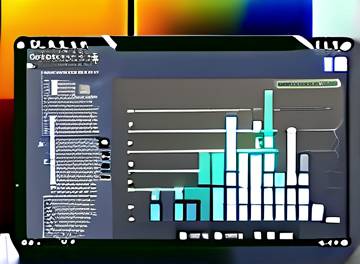
Bokeh的交互性非常出色。用户可以通过悬停在数据点上获取详细信息,缩放和平移图表以查看不同区域的数据,还能点击图例来隐藏或显示特定的数据系列。例如,在绘制散点图时:
from bokeh.plotting import figure, show, output_file
from bokeh.models import ColumnDataSource

output_file("scatter.html")

source = ColumnDataSource(data=dict(
    x=[1, 2, 3, 4, 5],
    y=[6, 7, 2, 4, 5],
    desc=['A', 'B', 'C', 'D', 'E']
))

p = figure(title='交互式散点图', tools='hover',
           tooltips=[('描述', '@desc'), ('(x,y)', '($x, $y)')])

p.scatter('x', 'y', source=source)

show(p)这里使用了ColumnDataSource来管理数据,并通过tools='hover'和tooltips设置了悬停交互,当鼠标悬停在散点上时会显示相应的数据描述和坐标。
对于地理数据可视化,Bokeh也有很好的支持。可以轻松绘制地图,展示不同地区的数据分布。比如绘制一个简单的世界地图:
from bokeh.plotting import figure, show, output_file
from bokeh.models import GeoJSONDataSource, LinearColorMapper, ColorBar
from bokeh.palettes import brewer

output_file("world_map.html")

# 加载地理JSON数据
geosource = GeoJSONDataSource(geojson="""
{
  "type": "FeatureCollection",
  "features": [
    {
      "type": "Feature",
      "geometry": {
        "type": "Polygon",
        "coordinates": [
          [
            [-180, -90],
            [-180, 90],
            [180, 90],
            [180, -90],
            [-180, -90]
          ]
        ]
      },
      "properties": {
        "name": "World"
      }
    }
  ]
}
""")

# 定义颜色映射
palette = brewer['YlGnBu'][8]
color_mapper = LinearColorMapper(palette=palette, low=0, high=10)

# 创建绘图对象
p = figure(title='世界地图', toolbar_location='below', tools='hover',
           tooltips=[('地区', '@name')])

# 添加地理图形
p.patches('xs', 'ys', source=geosource, fill_color={'field': 'value', 'transform': color_mapper},
          line_color='black', fill_alpha=0.7)

# 添加颜色条
color_bar = ColorBar(color_mapper=color_mapper, label_standoff=8,
                     width=500, height=20, border_line_color=None,
                     location=(0, 0))
p.add_layout(color_bar, 'below')

show(p)
此代码通过加载地理JSON数据,设置颜色映射,创建了一个简单的世界地图,并添加了颜色条来直观展示数据。
总结来说,Bokeh为Python开发者提供了一个便捷且强大的Web交互式可视化解决方案。它易于上手,能快速创建各种类型的可视化图表,并且交互性丰富。无论是数据分析师、科研人员还是普通开发者,只要想通过Python开发出吸引人的Web可视化应用,Bokeh都是值得尝试的工具。建议大家在实际项目中多多运用Bokeh,发挥它在数据可视化方面的优势,将复杂的数据以直观、交互的方式呈现出来,从而更好地理解和分析数据。